One-click iOS and Android releases, without the terminal.

Release Deck is a native macOS app. Pick an app, pick Staging or Production, and it takes the build from your repo to TestFlight, Firebase App Distribution or Google Play.

Download app For macOS · built in-house for native mobile teams
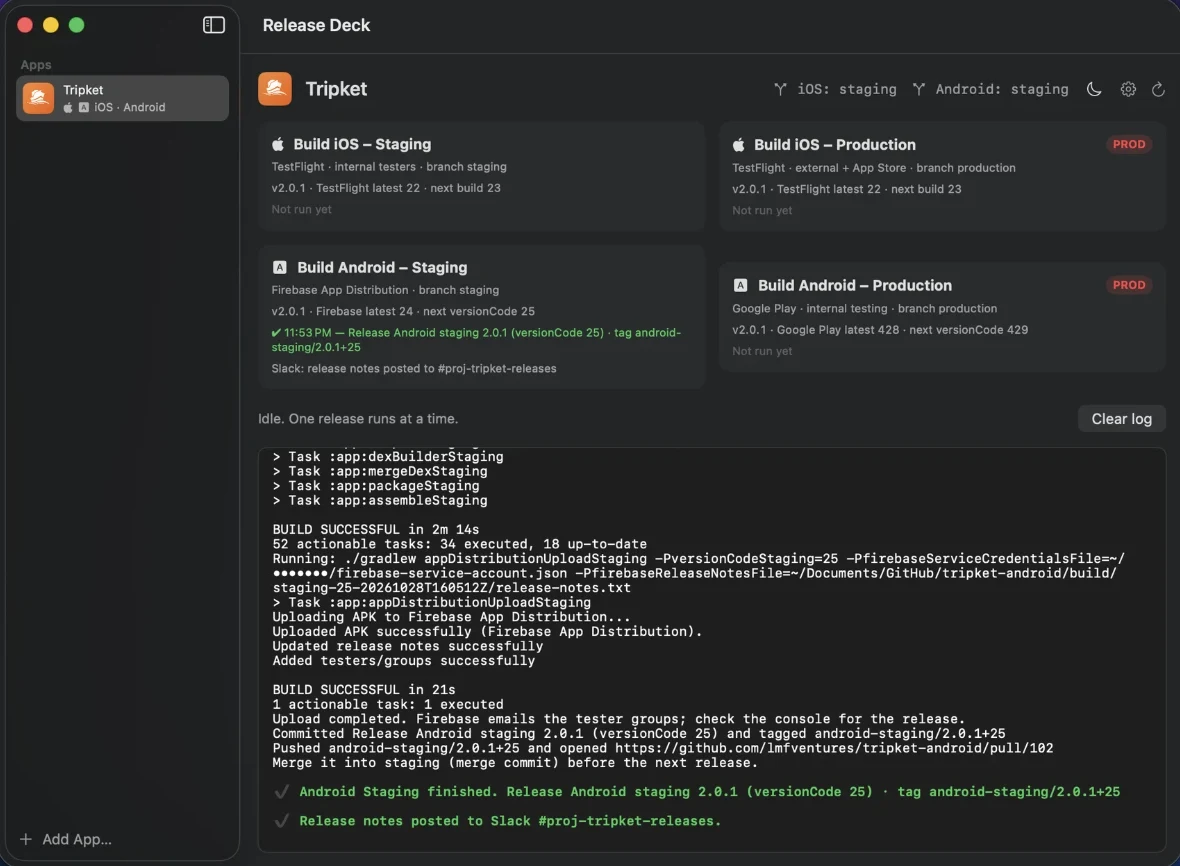
Release Deck showing four release targets for the Tripket app. Android Staging has just finished: it uploaded to Firebase App Distribution, tagged android-staging/2.0.1+25 and posted release notes to Slack.

One click runs the whole release.

  1. BuildXcode archive or Gradle assemble
  2. UploadTestFlight, Firebase or Google Play
  3. Commit the versionBuild number bumped for you
  4. Tagios-staging/2.0.1+23
  5. Open the pull requestReady to merge into staging
  6. Post to SlackGrouped release notes

Watch every build as it happens

Live Xcode and Gradle logs, clear progress, and a safe way to stop.

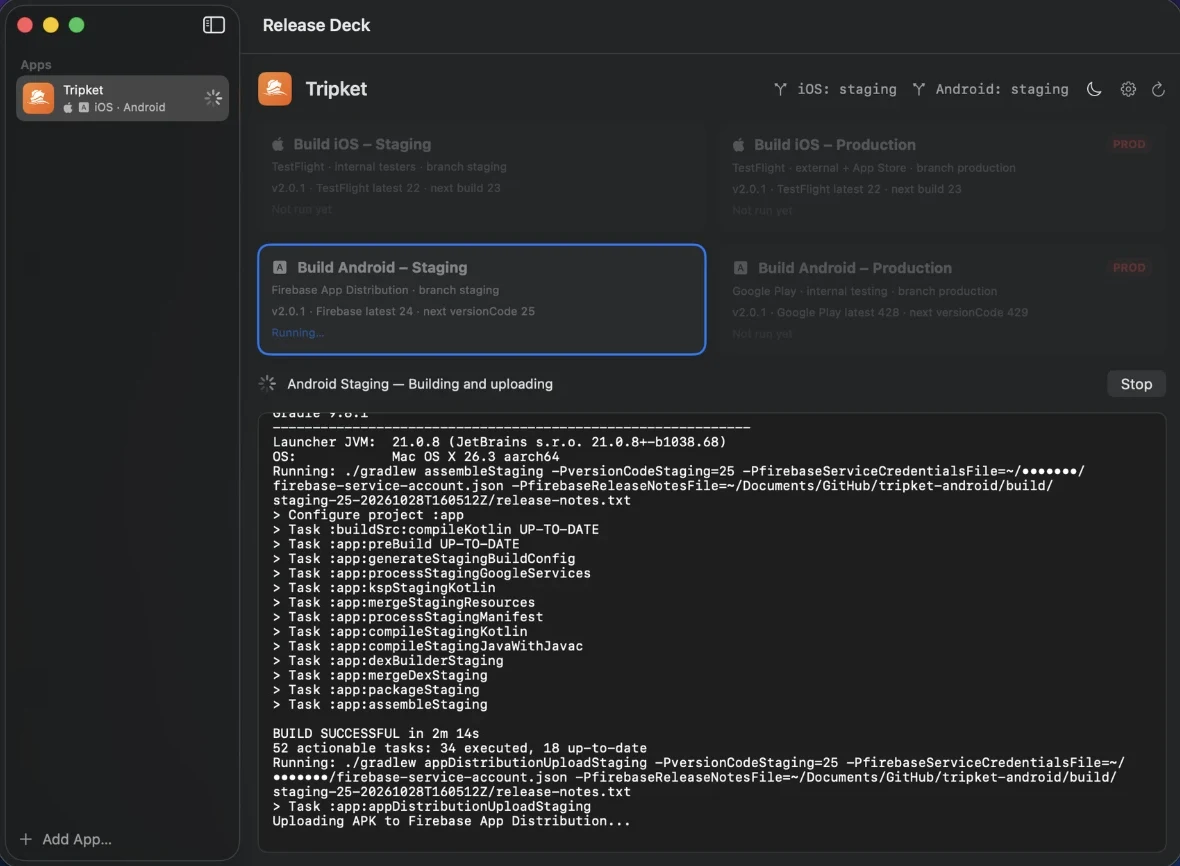
An Android Staging release in progress. The progress line reads Building and uploading, a Stop button sits beside it, and Gradle tasks stream below until BUILD SUCCESSFUL and the Firebase upload begin.
  • Raw output, live. Every Xcode and Gradle line streams into the log as it is written.
  • Always know the step. A status line names what the release is doing right now.
  • Stop is safe. One button ends the run. One release runs at a time, so nothing collides.

Ship to TestFlight in one click

It builds, uploads, commits the version, tags it and opens the pull request.

ios-staging/2.0.1+23

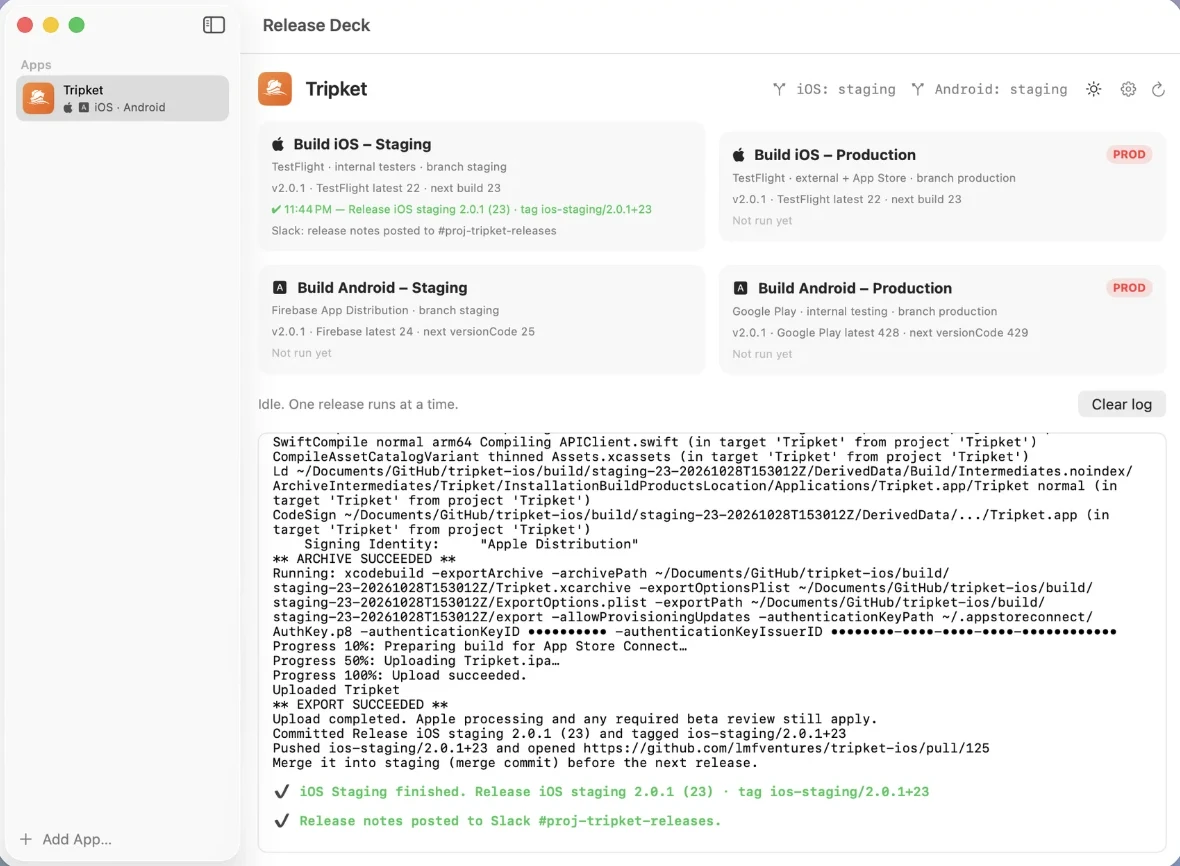
Each target shows its channel, branch, the version, the latest build on TestFlight and the next build number, before you click.

Release Deck after an iOS Staging release: Release iOS staging 2.0.1 (23), tag ios-staging/2.0.1+23, pushed with a pull request opened, and release notes posted to Slack.
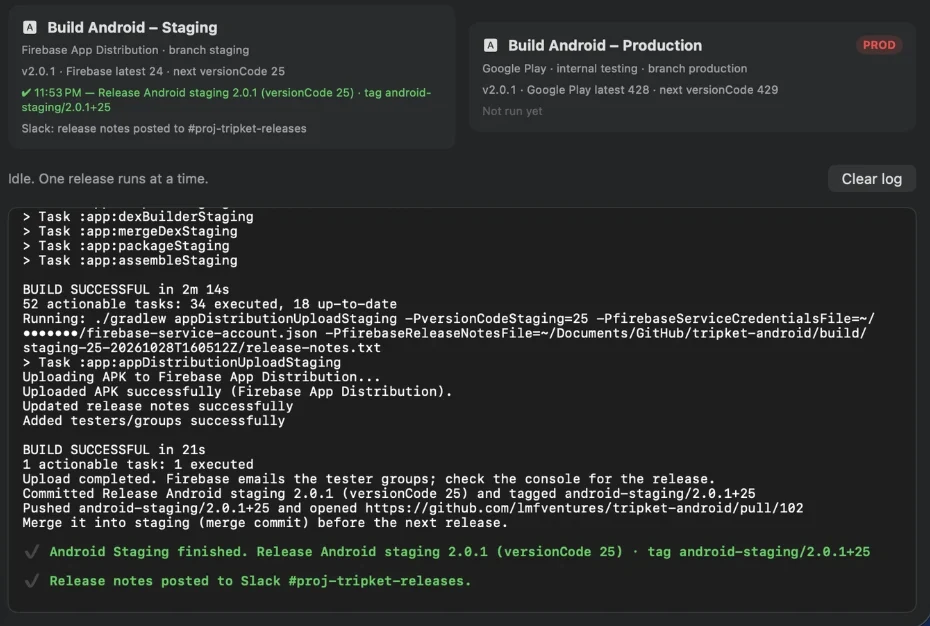
Android Staging finished: Firebase App Distribution upload completed, release committed as versionCode 25, tag android-staging/2.0.1+25, and a pull request opened.

Android releases in one click

Firebase App Distribution or Google Play, versioned and tagged for you.

android-staging/2.0.1+25

Production builds are marked PROD, so the one that goes to Google Play is never mistaken for staging.

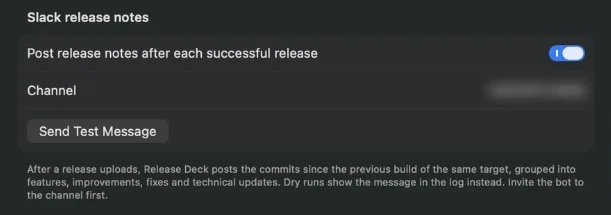
Release Deck settings: Slack release notes switched on, a channel field, a Send Test Message button and a bot token saved in Keychain.

Release notes, straight to Slack

Your team gets grouped notes after every successful release.

Commits since the previous build of the same target, grouped into features, improvements, fixes and technical updates. The bot token lives in your macOS Keychain.
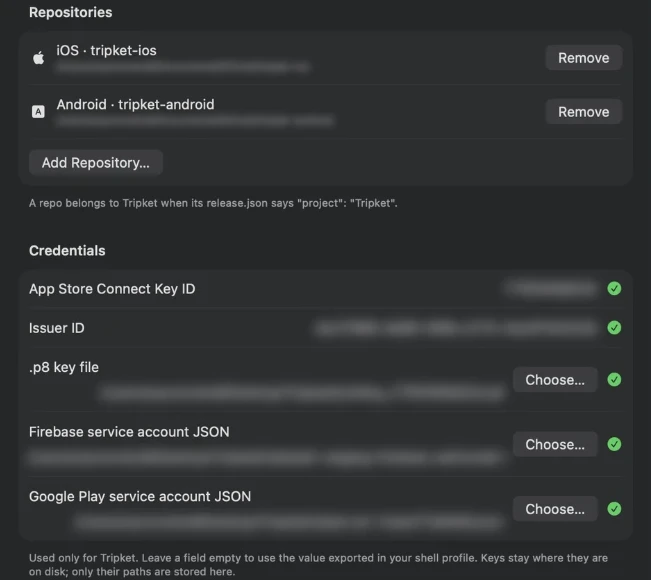
Release Deck settings for one app: its iOS and Android repositories, App Store Connect key, Firebase and Google Play service account files, and an app icon.

Every app keeps its own setup

Per-repository configuration and isolated credentials for each app.

Add a repo that has a release.json at its root. Keys stay where they are on disk; only their paths are stored.

Release without opening the terminal.

Download app

For macOS. Each repository needs a release.json at its root.